


GPS Phone Location Tracker
4.2320.00 Reviews
App Specs
- Version
- 64.0.0
- Updated On
- License
- Free
- Downloads
- 1,000,000+
- Developer
- Geolog Technology
- Categories
- Parenting
- Platform
- Android, iOS
Screenshots
 Analysis by AppCompare
When I think about location apps for a family, I care less about a crowded map than about whether I can quickly understand what it is showing and act on it. GPS Phone Location Tracker is aimed at that practical need: it’s a parenting app from LastSeen Technology for checking a device’s location. I’d consider it for simple location awareness, but I wouldn’t treat any tracker as a substitute for a conversation, a meeting plan, or emergency services.
Readable screens matter more than a busy map
For a location tool, clear navigation is not a cosmetic extra. A parent checking a child’s whereabouts between errands should be able to distinguish the current location from any past information without hunting through layers of menus. The interface felt straightforward to me, which is useful when attention is divided. Still, anyone who relies on larger text, strong contrast, screen readers, or a particular language should try the actual screens on their own device before depending on them. A generally simple layout does not guarantee that every label or map control will work comfortably for every person.
Map-based information also asks the user to interpret context. A pin can help answer “roughly where is the phone?”, but it cannot explain why the person is there, whether they are safe, or whether the location has just refreshed. I’d read the display as a prompt to check in, not as a complete account of someone’s situation. That distinction is especially important if a location appears unexpected.
Motor, sensory, and attention differences
Quick checks are easier when controls are easy to tap and alerts are not confusing. If precise touch is difficult, a map that requires repeated pinching, dragging, or tapping can become tiring even when the app itself is simple. I’d test the main task—opening the app and finding the relevant device—before setting it up for a family member who has limited dexterity. A trusted helper can assist with the initial setup, while the person being located should still understand what is being shared and why.
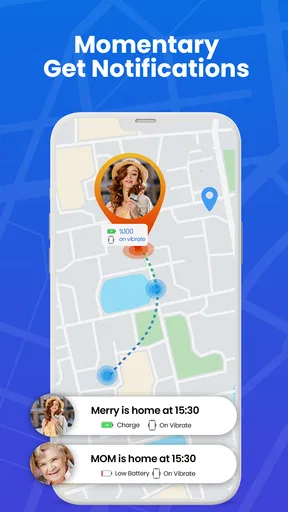
Notifications can be helpful for someone who cannot keep watching a map, but frequent or ambiguous alerts can also create stress. Families may want to agree in advance which changes deserve a response and which are simply ordinary movement. For a person with sensory sensitivities, a quieter notification setup may be more comfortable if the phone’s controls allow it. The useful goal is not constant checking; it is making the app fit into a routine without turning every update into an alarm.
Using location sharing in everyday situations
I find location sharing most useful when it answers a small, practical question, such as whether to leave for pickup now or wait a few minutes. Before making it part of a routine, I’d agree on who checks the map and what they’ll do if the position looks old or unexpected; that keeps a quick glance from becoming a source of needless worry.
When a quick check is useful—and when it is not
A realistic use is a teenager travelling home after an activity while a parent is preparing dinner. A glance at the location can help the parent decide whether to wait before setting out to meet them. If the point seems stale or the route is unclear, a direct call or message is still the better next step. Location information can reduce uncertainty, but it cannot replace the person’s own update.
Worth Reading Before You Choose

Switching to Android Auto Means Rethinking Your Driving Routine

Google Calendar Makes a Crowded Week Easier to Manage

Baby Panda World Brings Quick Play to Modern Phones, but Its Game Library Feels Busy

ESPN’s Live Game View Makes Following Close Games Easier

QuizzLand Review: A Good Fit for Short Trivia Breaks, Not Every Player

Basketball Stars: Multiplayer Is Fast, but Can It Recover When Matches Go Wrong?
This kind of tool may suit families who have a clear, agreed reason to share locations, such as coordinating pickups or checking that a device has arrived at a familiar destination. It is less suitable when someone needs private, one-time directions, when all they want is to recover their own misplaced phone, or when a family member does not consent to ongoing tracking. For a lost personal device, the phone’s built-in find-device service may be a more direct option because it is designed around locating and managing that device rather than family coordination.
Practical setup choices and trade-offs
Before relying on a tracker, I’d make sure everyone understands which phone is being followed and who can see its location. Keep the first test low-stakes: check the map while the device is nearby, then compare what it shows with the phone’s actual position. This gives you a feel for how the app behaves in your normal surroundings without making a safety decision based on a first impression. It is also worth checking that the device has location access and a working connection when you expect it to report.
Battery use is a sensible concern with GPS tools. My experience over a few days did not show a significant battery drop, but that should not be treated as a guarantee for every phone, settings combination, or pattern of use. If battery life matters, compare the phone’s usage before and after ordinary use and avoid keeping the map open unnecessarily. A tracker is only useful if the device remains charged enough to report its location.
Coverage is another trade-off. In my testing, the app continued to work in areas with poor network coverage when some signal remained, but a weak connection can still make location information less dependable. I would not assume that a map update will arrive instantly everywhere. If a check matters, allow time for the location to refresh and use a call or agreed backup plan when it does not.
How it compares with familiar alternatives
Compared with a built-in family location-sharing tool, this app offers a separate place to check a device, which some households may prefer if they want a dedicated tracker. Built-in options can be more convenient for people who already use the same phone ecosystem and only need basic sharing. I would choose between them based on who needs access, how comfortable everyone is with the setup, and whether the app’s particular features solve a real problem—not simply because one map looks more reassuring.
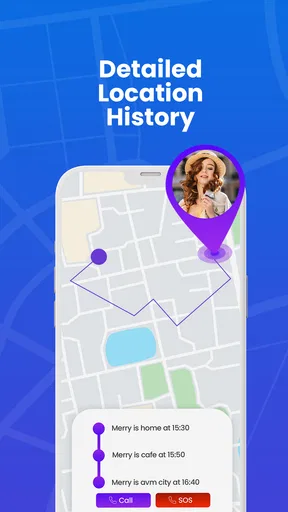
For parents, geofencing can be more useful than repeatedly opening a map: a safe-zone alert can draw attention to a change without requiring constant monitoring. But alerts are only as helpful as the family’s expectations. A boundary should reflect a meaningful place and a sensible reason to be notified; setting lots of zones may create noise rather than reassurance. Location history can also help retrace a route after a misplaced phone, though it should not be read as proof of a person’s intentions or a perfect record of every movement.
What to check before depending on it
People often want to know whether a tracker can replace messaging, whether it will always show a live position, and whether it is appropriate for a child. My answer is no to the first two: it can support coordination, but it does not tell you what is happening, and updates depend on the phone and its connection. For a child, I’d explain the purpose in age-appropriate language and agree when a parent will check. That makes the tool part of a safety routine rather than a secret surveillance habit.
It is also worth considering the cost beyond the initial download. The app is free, with optional in-app purchases ranging from $1.49 to $24.99 per item. I’d try the basic experience first and only pay if a specific extra feature addresses a need the family has identified. The app is rated for Everyone, has a 4.4 average from around 173,000 ratings, and has passed over a million installs; those figures suggest broad use, but they do not tell me whether its approach is right for a particular household.
Who will get the most from it
I can see the appeal for a parent who wants a quick way to check a family device, especially when coordinating school pickups, activities, or a trip home. The app is free to start, and version 63.0.0 requires Android 5.0 or later. It was released on January 7, 2024, and its large user base makes it a familiar choice for people exploring location tracking. I would still judge it by how clearly it works on the phones in the household, not by popularity alone.
I would skip it if location sharing would undermine trust, if the family needs highly dependable emergency monitoring, or if a simpler built-in option already does the job. It may also be frustrating for someone who needs a highly accessible interface but finds maps difficult to navigate. In those situations, a direct check-in routine or a tool already familiar to everyone may be safer and easier to maintain.
Getting Started with GPS Phone Location Tracker
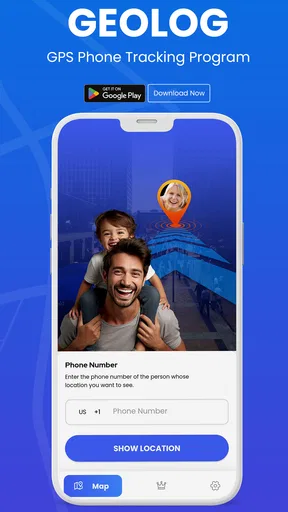
First things first, downloading and setting up the GPS Phone Location Tracker was a breeze. Available on both Android and iOS, you can find it easily on the app stores. Once installed, the app walks you through a simple setup process. You’ll need to grant it location permissions, but that’s standard for any tracking app.
Features That Stand Out
What I love about this app is its user-friendly interface. It’s clear and straightforward, which is great because no one wants to fumble through complicated menus when they’re trying to find their phone. The real magic, however, lies in its features:
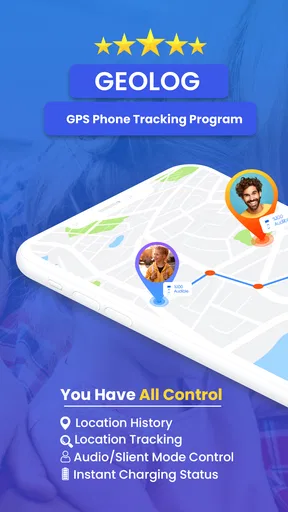
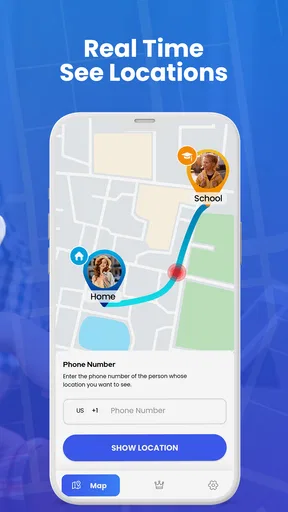
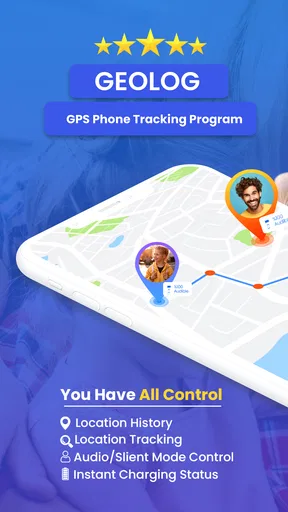
- Real-time Location Tracking: This feature lets you see exactly where your phone is on a map. It’s incredibly accurate and updates in real-time.
- Location History: Want to know where your phone has been? This feature provides a history of locations, which is super handy if you're trying to retrace your steps.
- Geofencing: You can set up safe zones, and the app will notify you if your phone leaves these areas. It’s perfect for parents trying to keep tabs on their kids.
Usability and Performance
The app runs smoothly without draining your battery, which is often a concern with GPS-focused apps. I tested it over a few days, and I didn’t notice any significant battery drop. The notifications were prompt, and the accuracy was spot on.
Another thing that impressed me was the app's ability to work even in areas with poor network coverage. It seems to have a knack for holding onto even the slightest signal to keep you informed.
Final Thoughts
If you’re like me and constantly on the move, this app is a lifesaver. It’s not just about finding a lost phone but also about having peace of mind knowing you can keep an eye on your device or your loved ones. Plus, it’s free to download, with some in-app purchases if you want to unlock additional features.
In a nutshell, the GPS Phone Location Tracker app is a must-have for anyone who values security and convenience. So, why not give it a try? You might just thank yourself the next time you’re frantically searching under the couch cushions!
Pros
- Accurate real-time location tracking.
- User-friendly interface for easy navigation.
- Works seamlessly in background mode.
- Low battery consumption during use.
- Customizable alerts for specific areas.
Cons
- Requires constant internet connection.
- Limited features in free version.
- May raise privacy concerns for users.
- Occasional GPS signal delays.
- Ads can be intrusive at times.
FAQs for GPS Phone Location Tracker
How accurate is the GPS Phone Location Tracker?
The GPS Phone Location Tracker is generally accurate within a few meters, depending on the device and environmental conditions. Urban areas with tall buildings might affect accuracy slightly due to GPS signal reflection. However, in open areas, users can expect precise location tracking, making it reliable for personal or family safety.
Does the app require an internet connection to function?
Yes, the GPS Phone Location Tracker requires an internet connection to provide real-time location updates. While GPS can determine your position without internet, data connectivity is essential for sending location data between devices and accessing additional features like maps and alerts.
Is the app battery-intensive?
The app uses GPS and network resources, which can lead to increased battery consumption. However, developers have optimized it to minimize battery drain by allowing users to customize update intervals and reduce background activity. It’s advisable to monitor battery usage and adjust settings according to your needs.
What privacy features does the app offer?
The GPS Phone Location Tracker prioritizes user privacy by implementing encryption for data transmission. Users have control over who can view their location, and the app requires explicit permission to access location data. These features ensure that your location information remains secure and private.
Can the app be used internationally?
Yes, the GPS Phone Location Tracker can be used internationally, as it relies on global GPS satellites for location tracking. However, users should be aware of potential roaming charges when using data services abroad. It’s recommended to check with your mobile carrier for international data plans.


